Business Intuition

BUSINESS INTELLIGENCE REPORTING FROM INDATA

INDATA’s Architect AI Reporting is a modern Software-as-a-Service (SaaS) solution. It allows investment managers to aggregate data sources and integrate data from key providers to provide enterprise-wide BI reporting.

Architect AI Reporting works within INDATA’s iPM, the industry’s first investment management platform designed for the era of big data.

INDATA created iPM to work effectively with a variety of large data sets. Those sources can be internal or external. Investment management routinely uses these with great effort and a significant expenditure of resources. BI reporting tools, powered with AI, simplify this workflow.

What Is BI Reporting?

Business intelligence reporting describes using tools and technology to analyze and present data, delivering insights for informed decision-making. It creates workflows for automated data collection, analysis, and presentation.

It’s a versatile tool that can support performance assessment, trend identification, insight awareness, and data accuracy. It serves a prominent role in investment management, simplifying processes and delivering actionable insights.

How BI Reporting Works

Business intelligence reporting software enables users to aggregate and report on data from various data sources. It provides metrics and analytics related to this data. It can then provide for dimensions around consolidated BI data, such as time horizons. Users can also create custom BI reports quickly with options for additional metrics and data parameters.

INDATA’s Architect AI Reporting solution for BI Reporting is easy to use and positioned for the era of big data.

Why Investment Managers Need Modern BI Reporting

Business intelligence reporting tools provide great value to firms. With such a platform, users can derive insights from large datasets immediately. The manual tasks are no longer a barrier to this because BI reporting is an automated model. Firms boost efficiency and have access to intelligence and insights much sooner.

TOP FEATURES OFFERED

FULL REPORT CUSTOMIZATION

Get the data needed with the click of a button. Eliminate the tedious steps of importing and exporting data for reports via Excel and reengineering them with macros.

INTERACTIVE DASHBOARDS

Access detailed dashboards with valuable information for data analysis, decision-making, and presentation to clients. Confidently deliver reports based on exceptional data integrity and trackable data lineage.

PLUG-IN INTEGRATIONS

Access detailed dashboards with valuable information for data analysis, decision-making, and presentation to clients. Confidently deliver reports based on exceptional data integrity and trackable data lineage.

REAL-TIME ALERTS

Receive proactive alerts to situations and processes. Notifications encompass things that need immediate or future attention, giving users real-time control.

AUTOMATION

Automate big data challenges within each aspect of the investment process. Optimize the capture, storage, search, sharing, analysis, and visualization of data from a front-, middle-, and back-office perspective for a competitive advantage.

PRIVATE CLOUD HOSTING

Leverage Architect AI Reporting via iPM Cloud, INDATA’s private cloud solution. This eliminates installation, maintenance, and ongoing support activities. Employ software and services without managing the underlying IT infrastructure.

MICROSOFT POWER BI

Uncover insights and turn them into action with Power BI. With this fully integrated platform, connect to and visualize any data within a scalable solution that offers self-service or enterprise BI solutions.

DATA REPOSITORY

Uncover insights and turn them into action with Power BI. With this fully integrated platform, connect to and visualize any data within a scalable solution that offers self-service or enterprise BI solutions.

HOW TO POWER BI REPORTS USING SAAS APPROACH

bi reporting in indata

INDATA’s Architect AI Reporting uses fully integrated Microsoft Power BI for easy data integration and reporting. With this tool, firms don’t need extensive resources or technical expertise. It’s web-based and requires no installation or in-house programming.

Additionally, by automating and streamlining manual processes, INDATA’s BI reporting helps wealth management firms increase accuracy, save time, and build trust with clients.

Microsoft Power BI Reporting

Architect AI Reporting includes a full set of BI reports that use Microsoft Power BI. INDATA’s powerful BI report builder offers customizable interactive reports, visualizations, and dashboards. View detailed graphics, including internal analytical reports and external reporting for investor presentations.

The software integrates data from available sources, including historical information for comprehensive enterprise reporting for positions, transactions, attribution, and other investment data. Customize reports in seconds with Excel-like functionality. Combine data sources on the fly and access data quickly for action.

Benefits of Enterprise BI Reporting

  • Optimizing data for speed and performance
  • Integration of all data streams
  • Real-time control
  • Efficient workflows
  • Improved accuracy and confidence in data
  • Faster, repeatable reporting processes
  • Better KPI tracking and predictive insights
  • Scalable, secure enterprise access

SOLUTIONS BY ROLE/INDUSTRY

Adopting INDATA’s AI Architect software creates a foundation for a firm’s growth and success. Each role within the firm can benefit from its many features and AI automation. 

Traders can rapidly execute orders and use advanced blotter functionality. Portfolio managers can generate “what-if” trades, rebalance portfolios, and update models with practical AI tools. Compliance can test guidelines and automate notifications. Middle back office operations have automated trade settlements to support position keeping and can automate data reconciliation for accurate books and records needed for portfolio accounting.

SOLUTIONS BY PRODUCT

INDATA Architect AI is a complete solution for portfolio management. Its integrated, data-driven framework makes it a valuable asset for any firm. With this unique and robust platform, organizations can reach operational efficiency goals and receive insights faster.

FREQUENTLY ASKED QUESTIONS

Business intelligence reporting enables fully automated data collection, analysis, and presentation that’s easy to act on and understand. It meets many needs, including:

  • Assessing performance
  • Identifying trends
  • Communicating insights to employees and clients
  • Ensuring accurate data 

The value of large data sets across disparate systems can be lost. BI reporting makes sure it doesn’t. When business intelligence reports are part of a firm’s investment operations, managers can experience tangible benefits. Integrating AI into this process further enhances the potential for more rapidly available and actionable insights.

Business intelligence reporting enables a firm to leverage data analytics to create interactive reports. The tool allows users to aggregate data sources into one platform and gain visibility into the dimensions of the consolidated information. The solution ensures firms can gain insights into large volumes of data, all with the confidence that it’s accurate.

There are five steps to take:

  1. Define goals by documenting intended objectives.
  2. Collect data from required sources, review where it resides, its format, and when the data is refreshed.
  3. Choose an existing web-based BI report visualization with the functionality required for an interactive dashboard approach to viewing data.
  4. Select an existing BI Report or design a new report with visuals and data organization to make it easy to understand and interpret.
  5. Share the information with stakeholders via Architect AI Reporting, via email, or mobile app.

Big data analytics refers to collecting, storing, analyzing, and interpreting large, complex datasets. The intention is to extract practical insights. Firms adopt it to improve decision-making, identify trends, and support predictions.

AI powers INDATA business intelligence reporting software and its insights. These tools provide information about real-time and historical portfolio information and help users identify and report on trends. When creating a BI report, users should define the goals and objectives around the design. There are options for features like time horizons, metrics used, and data parameters.

Yes, it can pull data from any source, automating data collection and eliminating manual work.

Yes, users can customize interactive dashboards, focusing on the information most meaningful to them.

Yes, the platform offers the ability to schedule regular BI reports and then distribute them automatically.

ADDITIONAL RESOURCES

master data management
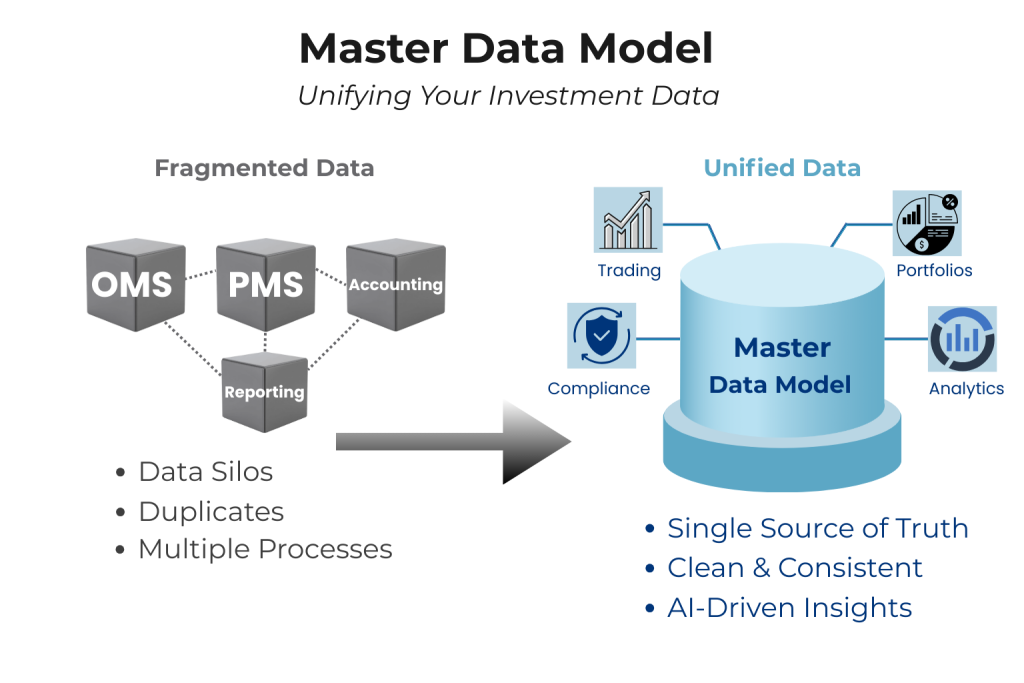
The Role of a Master Data Model in Modern Investment Management
1024 683 INDATA

Across the buy side, many firms are planning to invest in AI-based approaches, providing further automation and greater insights. But many are discovering the same issue: advanced AI technology can only deliver results…

read more
cloud native platform
How a Cloud-Native OMS Helps Firms Scale New Investment Strategy Launches
1000 563 INDATA

Launching a new investment strategy has always been complex. Today, it’s also happening in a more competitive and cost-sensitive environment for many investment firms. Market volatility, ongoing fee pressure, and rising operational expenses…

read more
Top 4 Ways Custom Reporting Packs Improve Investment Management for INDATA Clients
1000 667 INDATA

Customer reports provide insights and transparency around performance. Creating them can be time-consuming for portfolio managers. Errors are common, and most require manual processes, using spreadsheets and other external sources. Reporting can easily…

read more